Anna Berisha
Re: Re: Fwd: website changes v4 FINAL (2)
hey!! the button on the home page looks weird again on my laptop?? and the form thing still doesn't work, Mark tried yesterday. sent a pic. can we fix before friday
IMG_4031.HEIC
Bugfyx is a feedback button for your website. Clients click the problem, and you get everything needed to fix it.
What your client sends today
Anna Berisha
Re: Re: Fwd: website changes v4 FINAL (2)
hey!! the button on the home page looks weird again on my laptop?? and the form thing still doesn't work, Mark tried yesterday. sent a pic. can we fix before friday
IMG_4031.HEIC
which button? which page?
which laptop??
What Bugfyx sends you
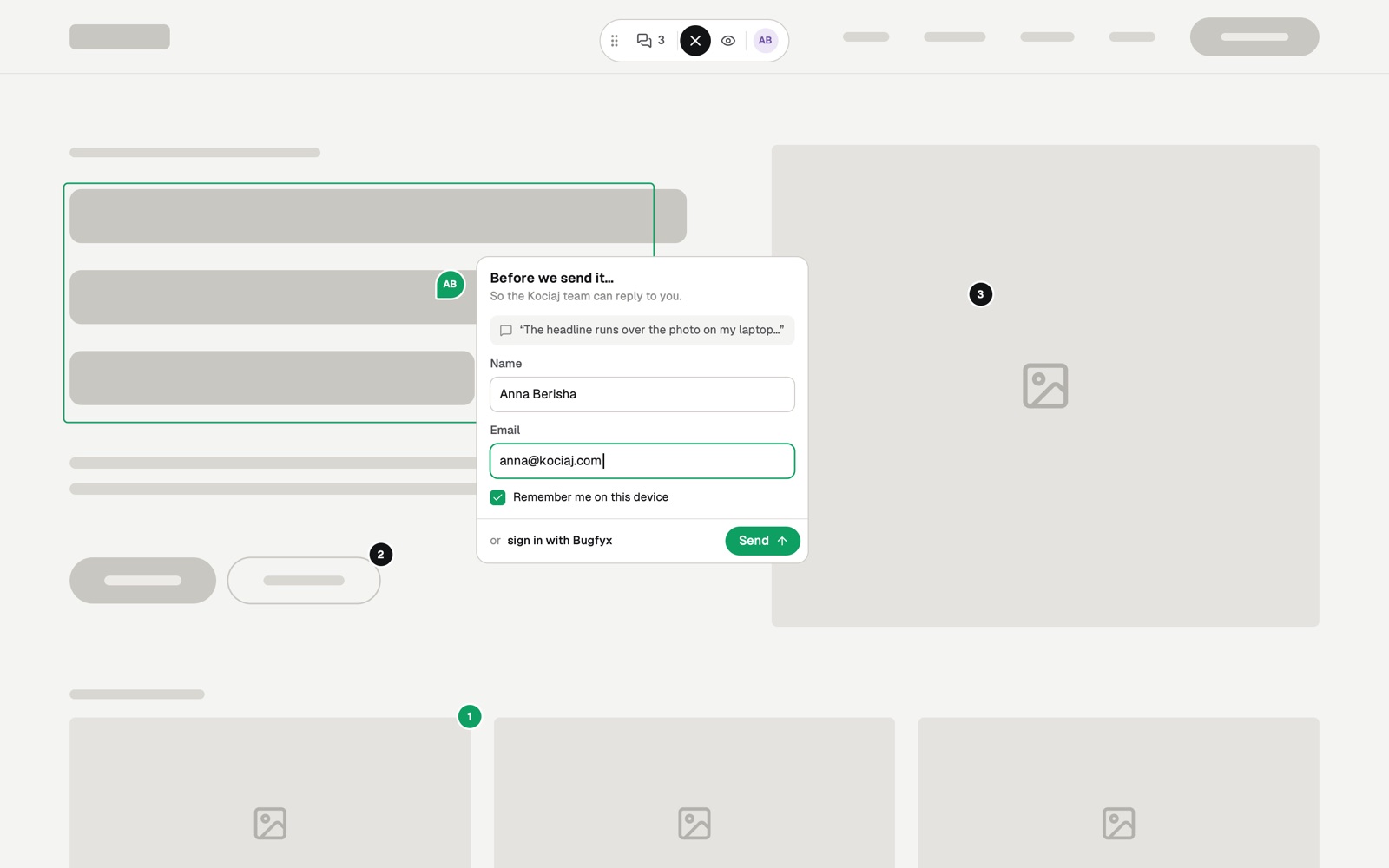
Primary button is cut off on the homepage
For your client
No account, no extension, no screenshots to email. They never leave your site.
The button sits on your site. Or they press C.
Anything on the page: a button, an image, a line of text.
Draw on it if they like. Screenshot and details are added for them.
For your team
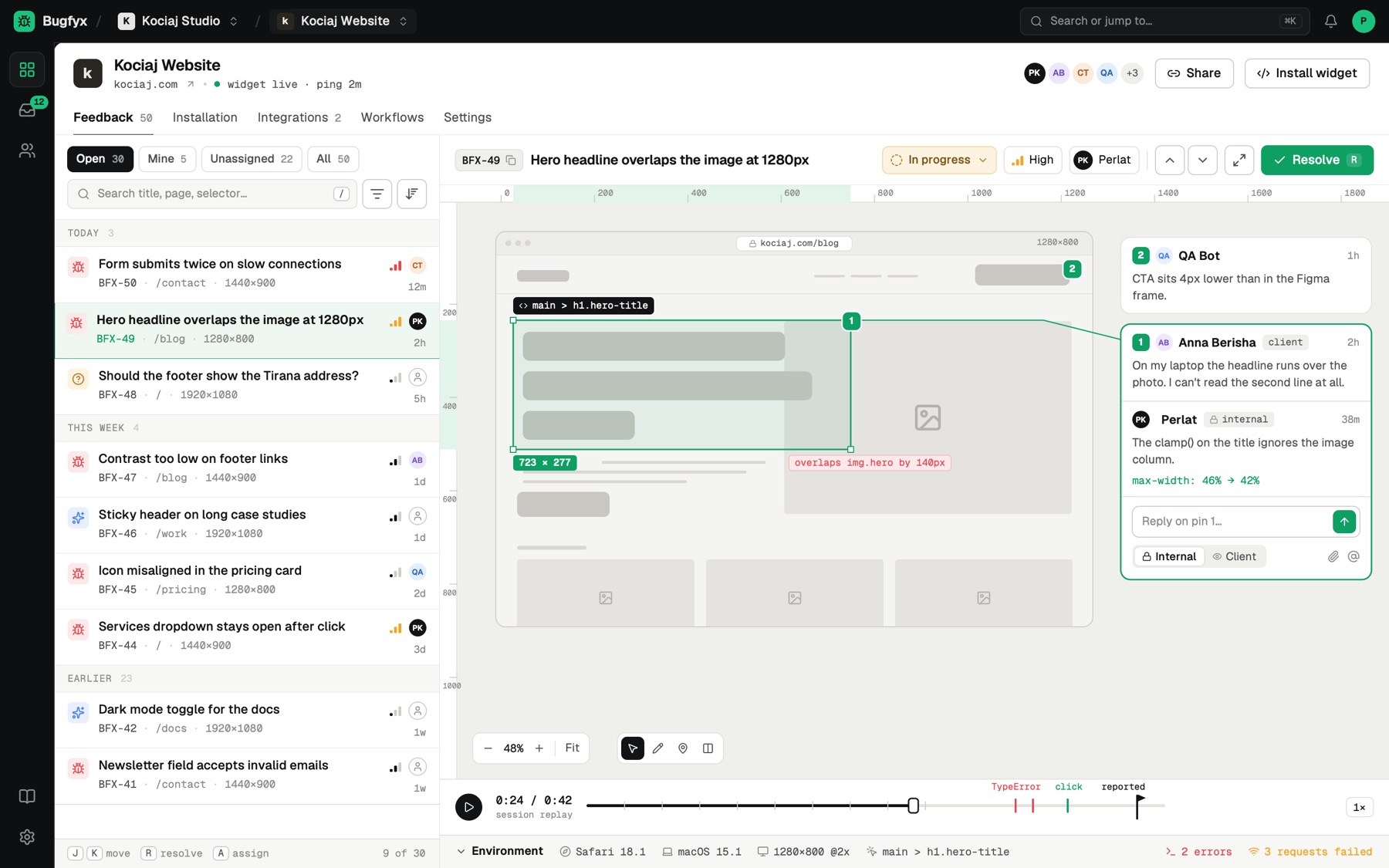
Every report arrives with the context your developers would otherwise spend a day chasing.
 From client note to fixed bug · 1:00
For developers
Connect Claude Code, Cursor or any MCP client. Your agent reads the report, looks at the screenshot and console errors, fixes the code, then replies to your client and resolves it.
$ claude mcp add --transport http bugfyx https://app.bugfyx.com/mcp
✓ Connected to Bugfyx

> Fix BFX-50 from the Bugfyx inbox
  read report, screenshot and 2 console errors
  edited  src/components/Hero.vue
  replied to Anna: "Fixed, live in 5 minutes"
✓ BFX-50 resolved
Paste one line before </body>. No build step, no npm, works on any stack.
<script src="https://app.bugfyx.app/api/projects/YOUR_PROJECT_ID/script" data-bugfyx_id="YOUR_PROJECT_ID" async></script>Agencies have to answer to their clients' legal teams. Here is exactly what the widget does, and doesn't, do.
Get sign‑off faster. Clients report on the live site, you see every project in one inbox, and clients never cost you a seat.
Look professional without a project manager. One link, one button, and feedback that doesn't need a phone call to decode.
Testers file reports with the console log and replay already attached, so developers can reproduce bugs on the first try.
With Bugfyx you get back
10 hours
a month, worth $600. The Dev plan is $29.
pays for itself in the first week
Pricing
Pay for projects, not people. Monthly or yearly, cancel any time.
$0/month
For side projects and testing
$29/month
Perfect for freelancers and indie devs
$59/month
For growing teams and agencies
| Bugfyx | Marker.io | BugHerd | Userback | |
|---|---|---|---|---|
| Paid plans from | $29/mo | $39/mo | $42/mo | $39/mo |
| Free plan | Yes | No | No | Yes |
| Clients report without an account | Yes | Yes | Yes | Yes |
| Session replay | Yes | Yes | No | Yes |
| Console logs | Yes | Yes | Yes | Yes |
| MCP for AI coding agents | Yes | No | No | No |
Competitor details from their public pricing pages, November 2026.
No. They click the Feedback button on your site, leave their name and email, and send.
About two minutes. Paste one script tag, or follow the WordPress or Google Tag Manager guide.
An annotated screenshot, the exact element, browser, OS and screen size, page timings and console errors. Paid plans add a 30 second replay.
The widget only loads on domains you allow, replays mask every form field, and clients can black out anything private.
Slack, Trello and email today. AI coding agents like Claude Code and Cursor can also read reports through MCP.
Yes. Plans are monthly or yearly and you can cancel from the billing page whenever you like.
Add Bugfyx to your site in two minutes. Free plan, no credit card.
your clients will thank you
Start free